
commercebuild Success Portal commercebuild Success Portal

  • Home
  • Submit a Ticket
  • Updates
  • Login
  • Contact Us
Home / Troubleshooting / How to Display Images for Variant Products Swatches

How to Display Images for Variant Products Swatches

1127 views Less than a minute 0

If a variant product has swatches for color options and if those swatches are not loading on the front end, then please ensure that the Variant Images checkbox is not unchecked.
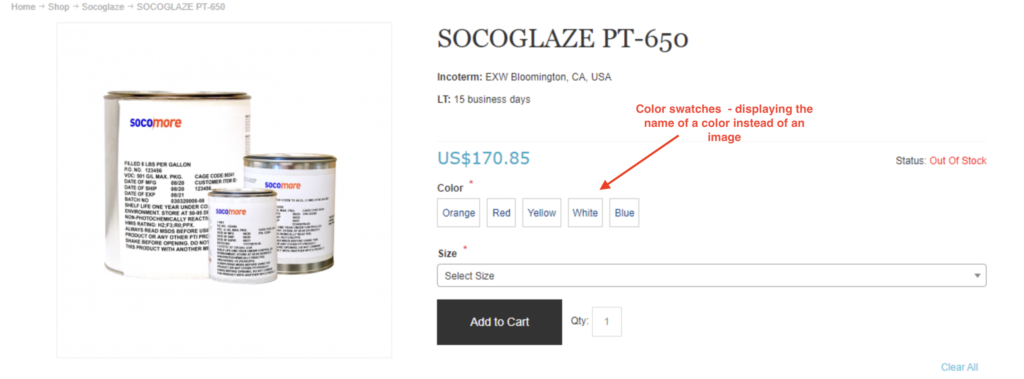
To confirm, go to your admin dashboard and navigate to Catalog > Product Variations > Variant Options.

Locate the variant option for which the swatches are not displaying.
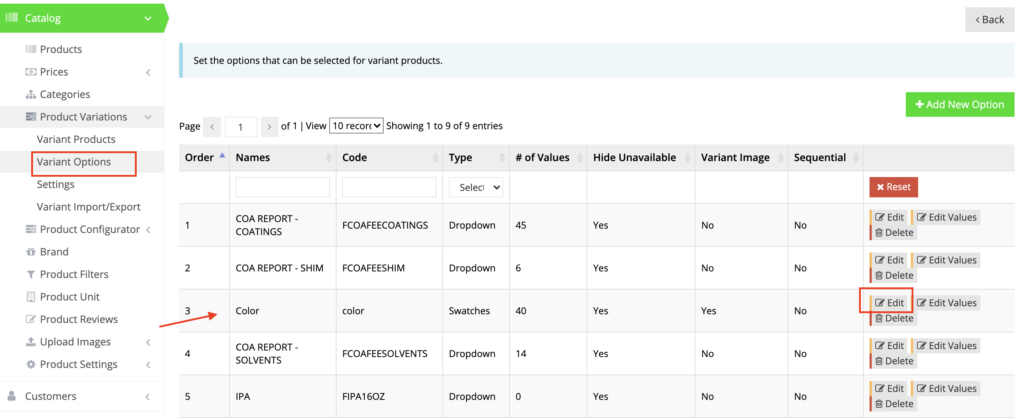
Click Edit and check the box for Variant Images.
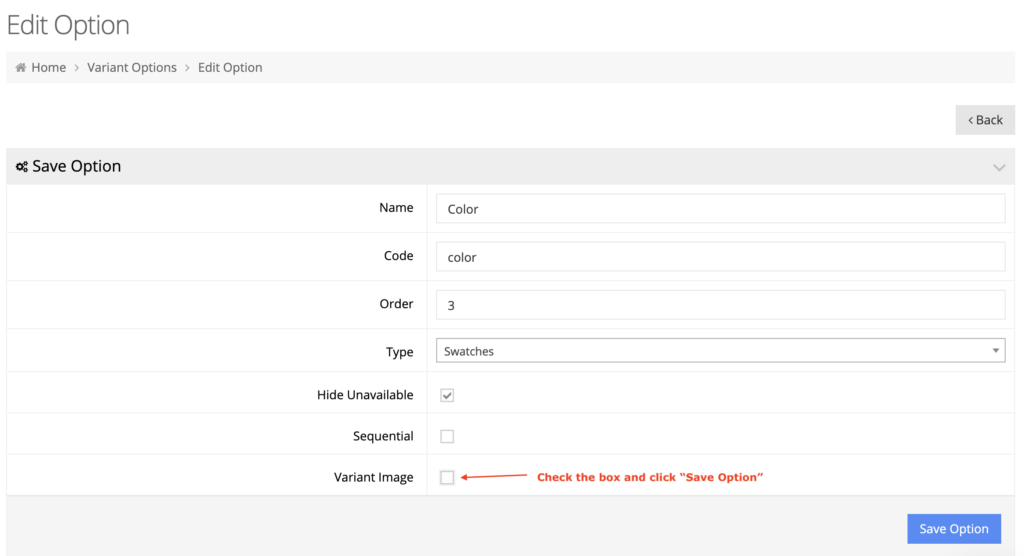
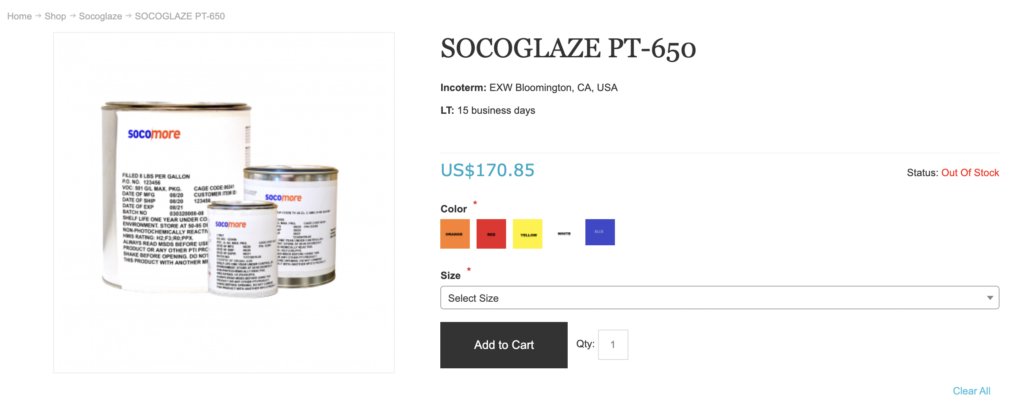
On click of the Save Option button, the swatch images will appear on the web store.
webstore Troubleshooting

About Latika

View all posts by Latika →

Related Articles

  • Error when adding a new user: Email is already in use
  • System Notification: Product is no longer available
  • How to Check a Price in Sage 300
  • General troubleshooting of display issues

Popular Articles

  • Enable Cloudflare Rate Limiting 2804 0
  • Enable Firewall Rules and a JavaScript Browser Challenge 2643 16
  • How to Add a JavaScript Snippet 2356 8
  • IP Allowlist 2266 0
  • Signing up for Cloudflare and Configuring Your Domain 2192 4

New Articles

  • Error when adding a new user: Email is already in use 882 0
  • How to Check commercebuild Payments Version 1155 0
  • How to Enable reCAPTCHA on Custom Forms 1054 0
  • Manually posting an order 1210 0
  • Adding a custom message to the shipping step at checkout 1023 0
© commercebuild 2022. All rights reserved.