
commercebuild Success Portal commercebuild Success Portal

  • Home
  • Submit a Ticket
  • Updates
  • Login
  • Contact Us
Home / Getting Started, Tutorials / Enable Editable Item Description

Enable Editable Item Description

1598 views Less than a minute 0

The Editable Item Description feature allows you to override the ERP item description and set your own in the web store.

To enable this feature, go to System > Features and toggle ON Editable Item Description. Note that this appears as a B2B only feature, but it will be enabled for B2C as well.
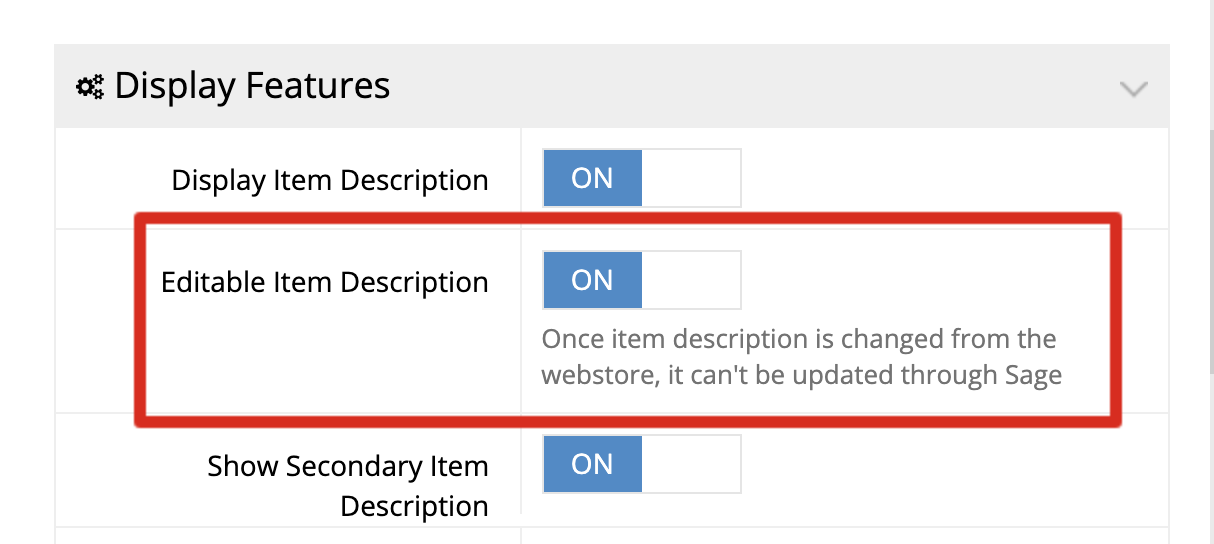
Edit the Descriptions

After you activate this setting, then you can edit the item description at the product level in the Products section.
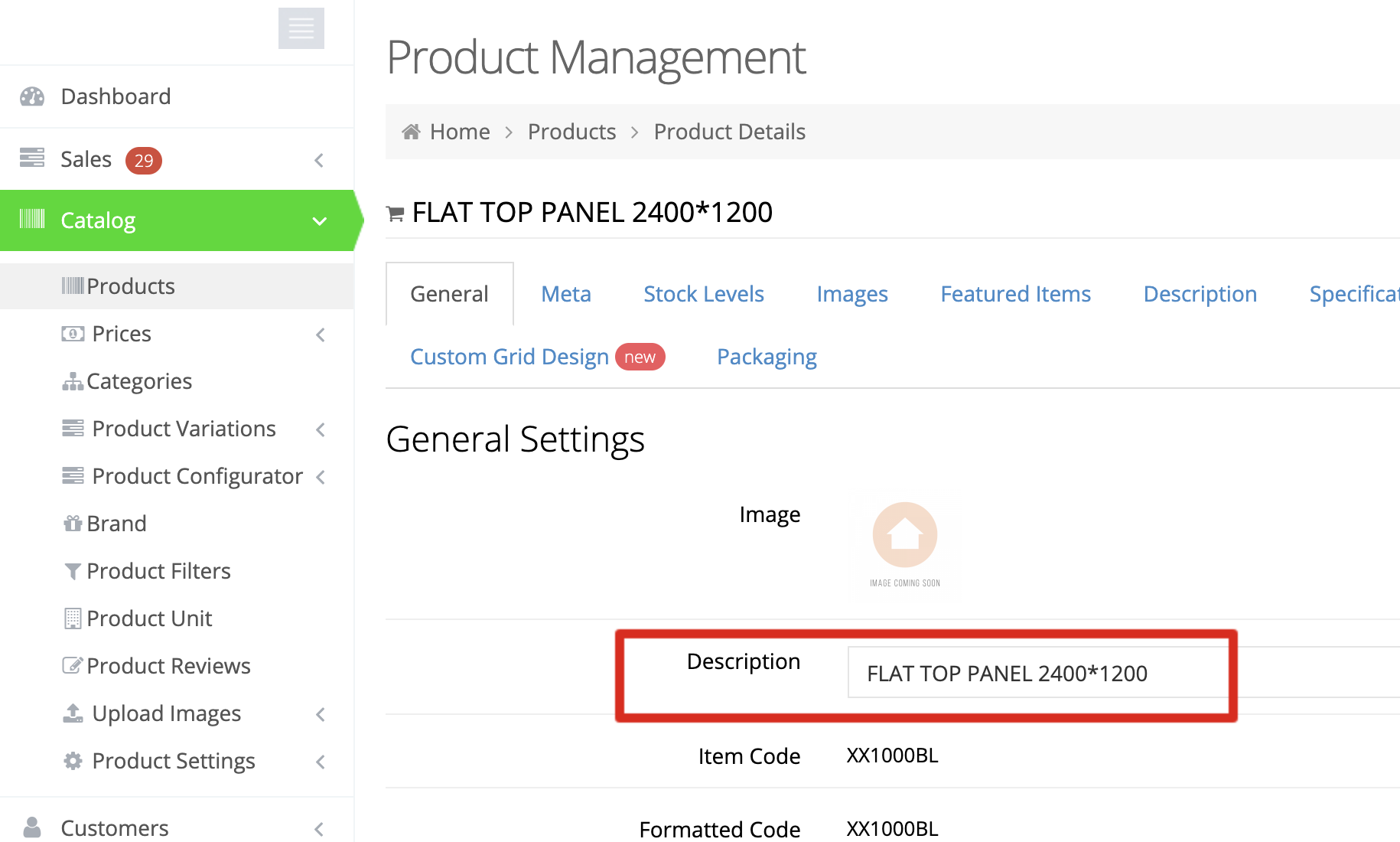
Note that once you edit the description in the web store, it cannot be updated through the ERP.

webstore Getting StartedTutorials

About Bradly Hale

View all posts by Bradly Hale →

Related Articles

  • How to Enable reCAPTCHA on Custom Forms
  • Adding a custom message to the shipping step at checkout
  • How to configure Stripe as a payment method
  • SQL Server Change Tracking Query for Sage 300 and X3

Popular Articles

  • How to Generate Sitemaps and the Google Product Feed 3256 0
  • Enable Cloudflare Rate Limiting 2930 0
  • Enable Firewall Rules and a JavaScript Browser Challenge 2820 16
  • How to Add a JavaScript Snippet 2469 8
  • IP Allowlist 2442 0

New Articles

  • Error when adding a new user: Email is already in use 996 0
  • How to Check commercebuild Payments Version 1272 0
  • How to Enable reCAPTCHA on Custom Forms 1200 0
  • Manually posting an order 1352 0
  • Adding a custom message to the shipping step at checkout 1151 0
© commercebuild 2022. All rights reserved.