
A video is a useful tool when it comes to helping potential buyers learn about a product. It keeps people on your website longer and engages them with your content. To add videos to your content, follow a simple step-by-step process:
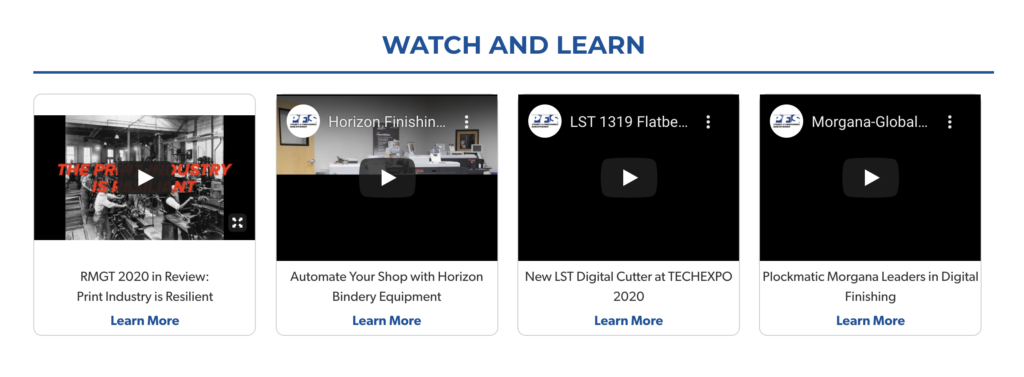
Getting Started
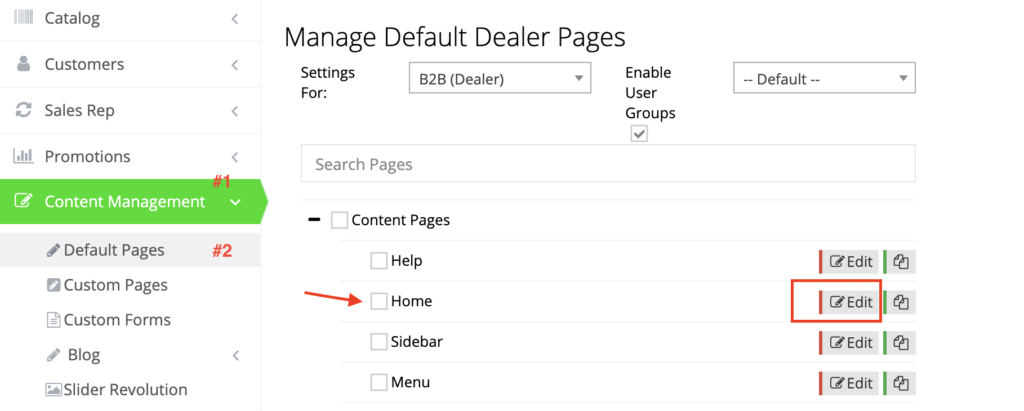
For the sake of this guide, we will add a video to the Home page. In your admin dashboard, navigate to Content Management > Default Pages.
Click “Edit” next to Home.
Code Editor Module
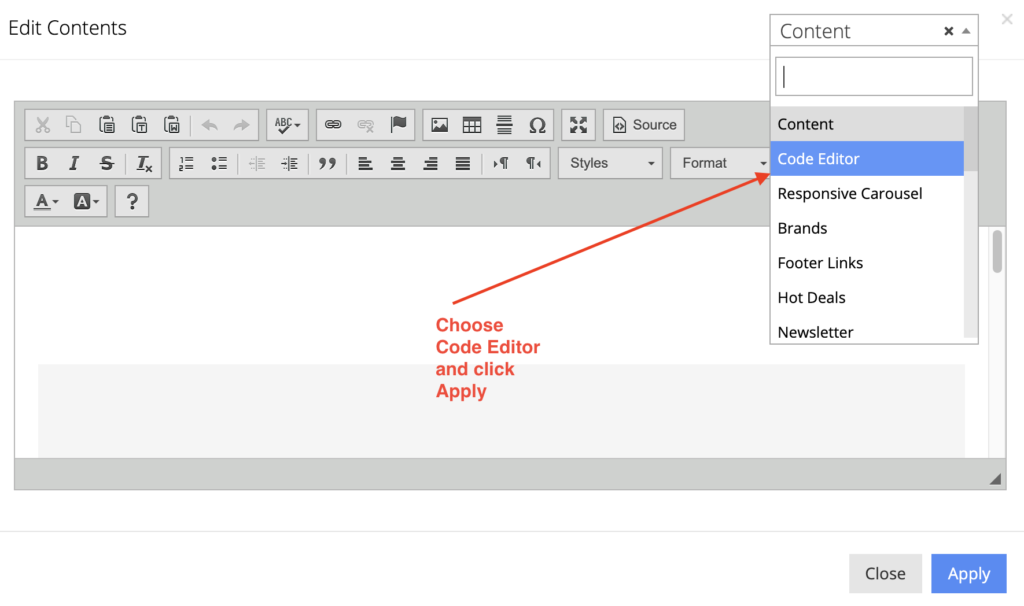
In the Responsive Content grid, click “Add Container”. When a container is created, click “Edit Content” from within the container and choose Code Editor from the Content dropdown.
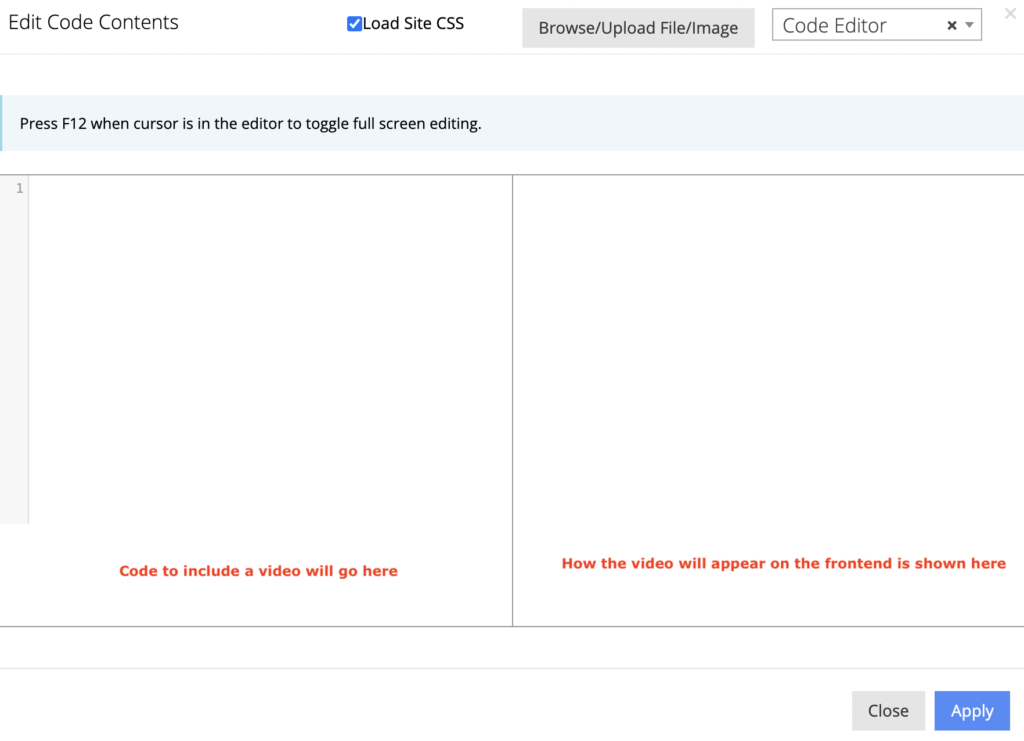
This is how the Code Editor module will appear after clicking “Apply” on the previous screen.
Add a video
On the left panel of the Code Editor module, add the following code by replacing the text “Enter your video URL here” with your video link.
<iframe src="enter_your_video_URL_here" width="640" height="360" frameborder="0" allowfullscreen="allowfullscreen"></iframe>
The right panel of the module will demonstrate how it will appear on the front-end.
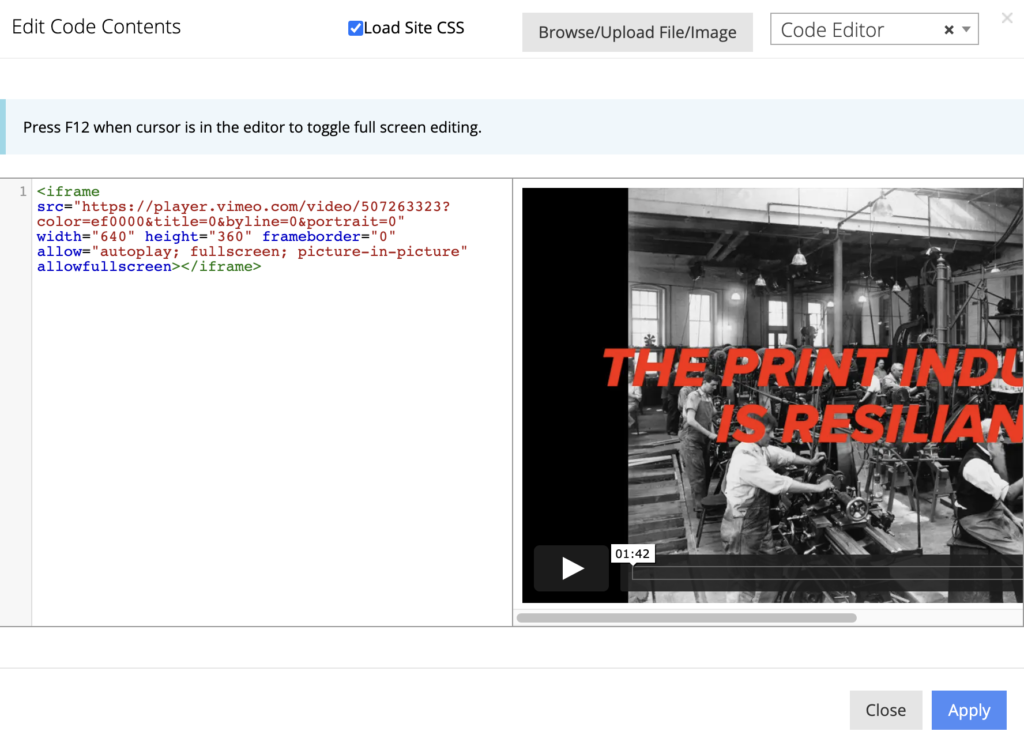
If you are adding a YouTube video then modify the URL by replacing “watch” with “embed”.
Click “Apply” to save your changes.
Please ensure to repeat these steps should you wish to add the same content to your B2C Home page as well.
