
commercebuild Success Portal commercebuild Success Portal

  • Home
  • Submit a Ticket
  • Updates
  • Login
  • Contact Us
Home / Tutorials / How to Enable Product Reviews

How to Enable Product Reviews

702 views Less than a minute 0

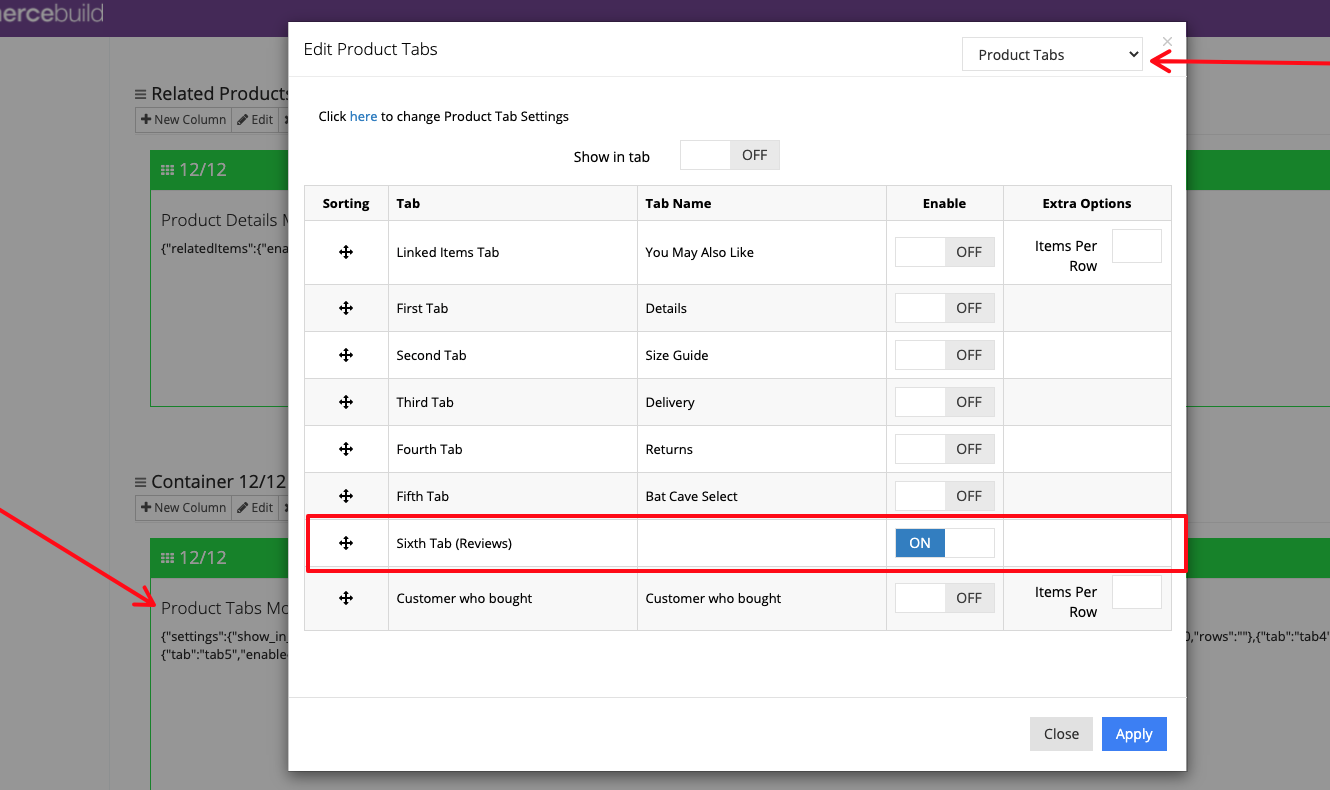
Product reviews allow your customers to leave feedback about your products. They can be enabled in the Product Tabs Module on the Product Page.
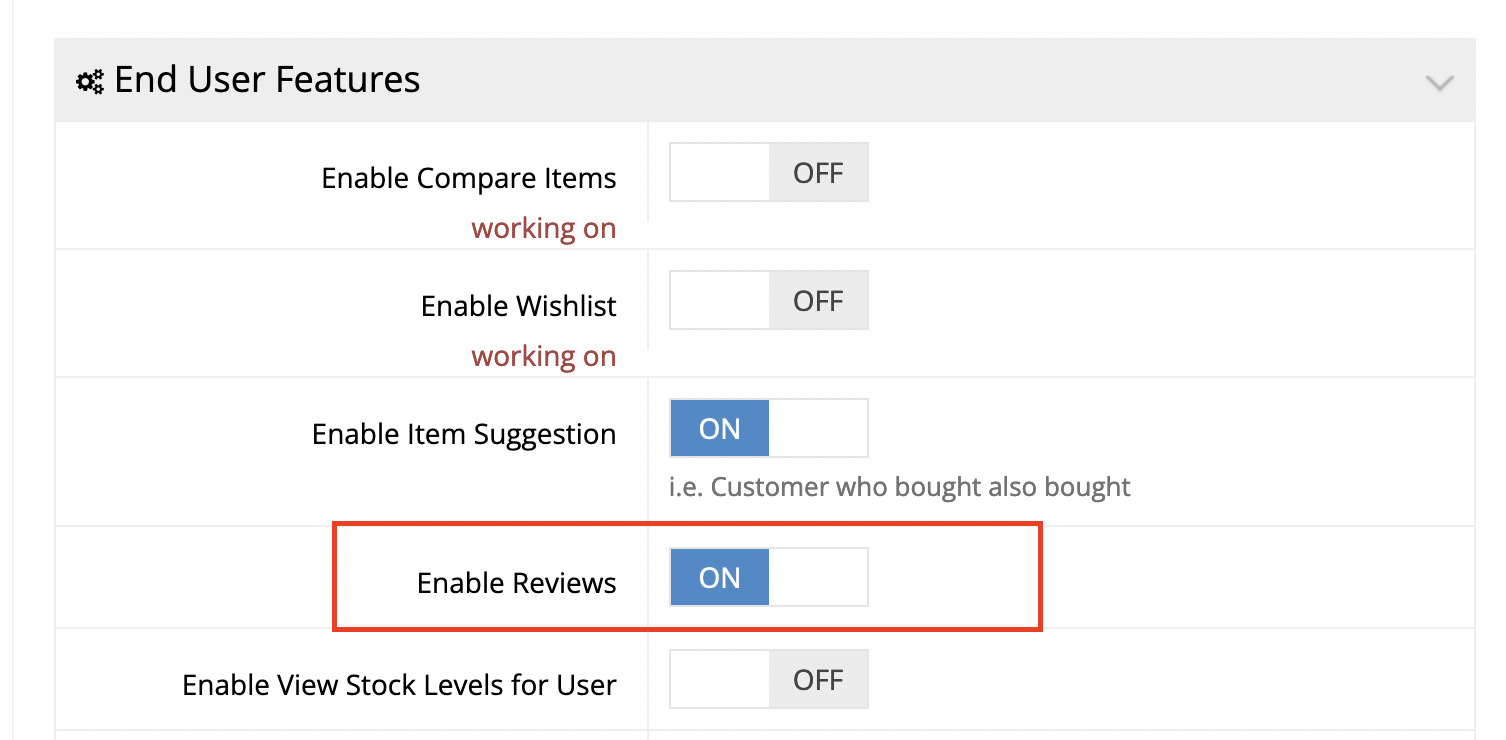
They will also need to be enabled for B2B users and/or B2C users through the System → Features page.

  • B2B User Settings: /admin/msite/features
  • B2C User Settings: /admin/msite/features/public
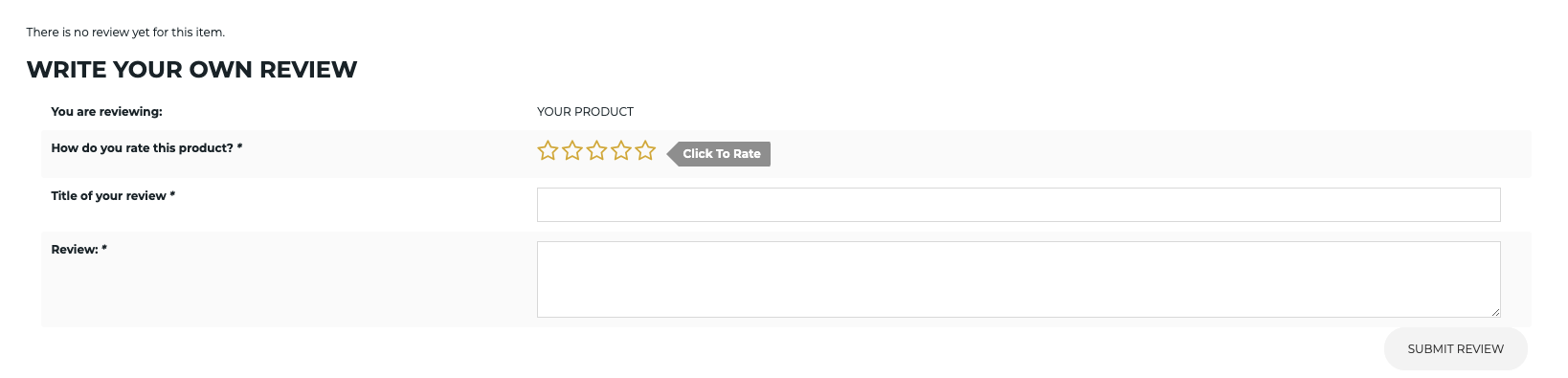
Once enabled, the Product Review form will appear on the Product page:
webstore Tutorials

About Bradly Hale

View all posts by Bradly Hale →

Related Articles

  • How to Enable reCAPTCHA on Custom Forms
  • Adding a custom message to the shipping step at checkout
  • How to configure Stripe as a payment method
  • SQL Server Change Tracking Query for Sage 300 and X3

Popular Articles

  • How to Generate Sitemaps and the Google Product Feed 3560 0
  • How to Delete or Deactivate Promo Codes 3519 0
  • Enable Cloudflare Rate Limiting 3045 0
  • Enable Firewall Rules and a JavaScript Browser Challenge 2843 16
  • How to Add a JavaScript Snippet 2577 8

New Articles

  • Error when adding a new user: Email is already in use 1074 0
  • How to Check commercebuild Payments Version 1355 0
  • How to Enable reCAPTCHA on Custom Forms 1214 0
  • Manually posting an order 1437 0
  • Adding a custom message to the shipping step at checkout 1228 0
© commercebuild 2022. All rights reserved.