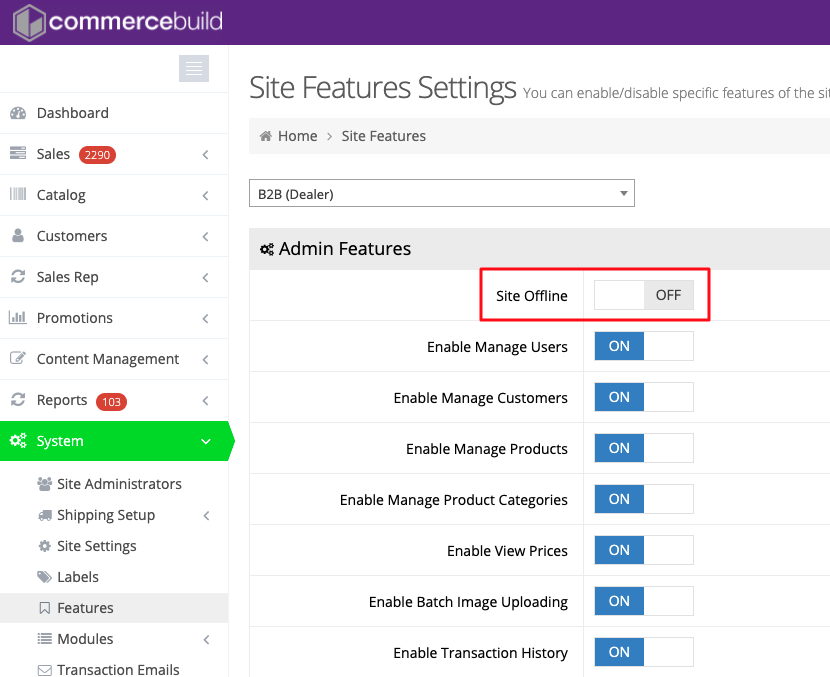
Putting a site into Maintenance Mode is very easy, but there are a couple of things you should know first.
If you do not have a maintenance page set up, a very utilitarian page will be shown when you put the site into Maintenance Mode:
This site is offline due to maintenance. We will be back soon. Please check back later.
You will probably want something a little more interesting and which represents your brand or company better. You can do that under Content Management > Default Pages. The page must exist in the B2C (Public) side. If you have built unique content, where the B2C pages are different from the B2B pages, then you’ll most likely just want to build the page in the B2C side. If the B2C mirrors the B2B, you’ll likely want to build the maintenance page in the B2B side, and push it to the B2C as you normally would. If you’re unclear about how to manage your content, just ask.
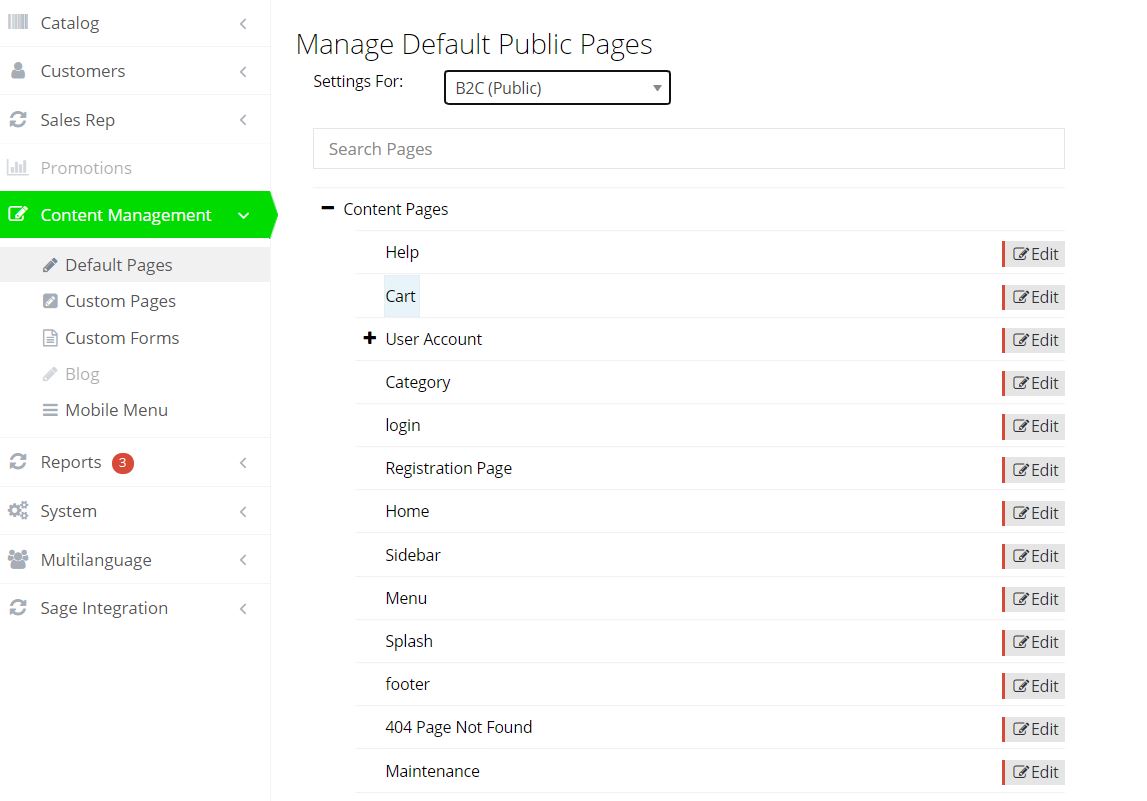
Once you’re happy with the page, you’re almost ready to put the site offline.
You’ll notice that in offline mode, there is no menu, or link to log in. You should make sure you have that path to login saved, or remember that the url is yoursite.com/user/login
When you’re ready to take the site offline, go to System > Features. At the top of the page you can toggle the Site Offline.