
commercebuild Success Portal commercebuild Success Portal

  • Home
  • Submit a Ticket
  • Updates
  • Login
  • Contact Us
Home / FAQ / How to Add Days to Purchase Order ETA

How to Add Days to Purchase Order ETA

1410 views Less than a minute 0

After modifying from where the purchase order ETAs are pulled, you may want to add more days to the estimated time of arrival.

To do this, navigate to System > Site Settings > Adds Days to PO ETA.
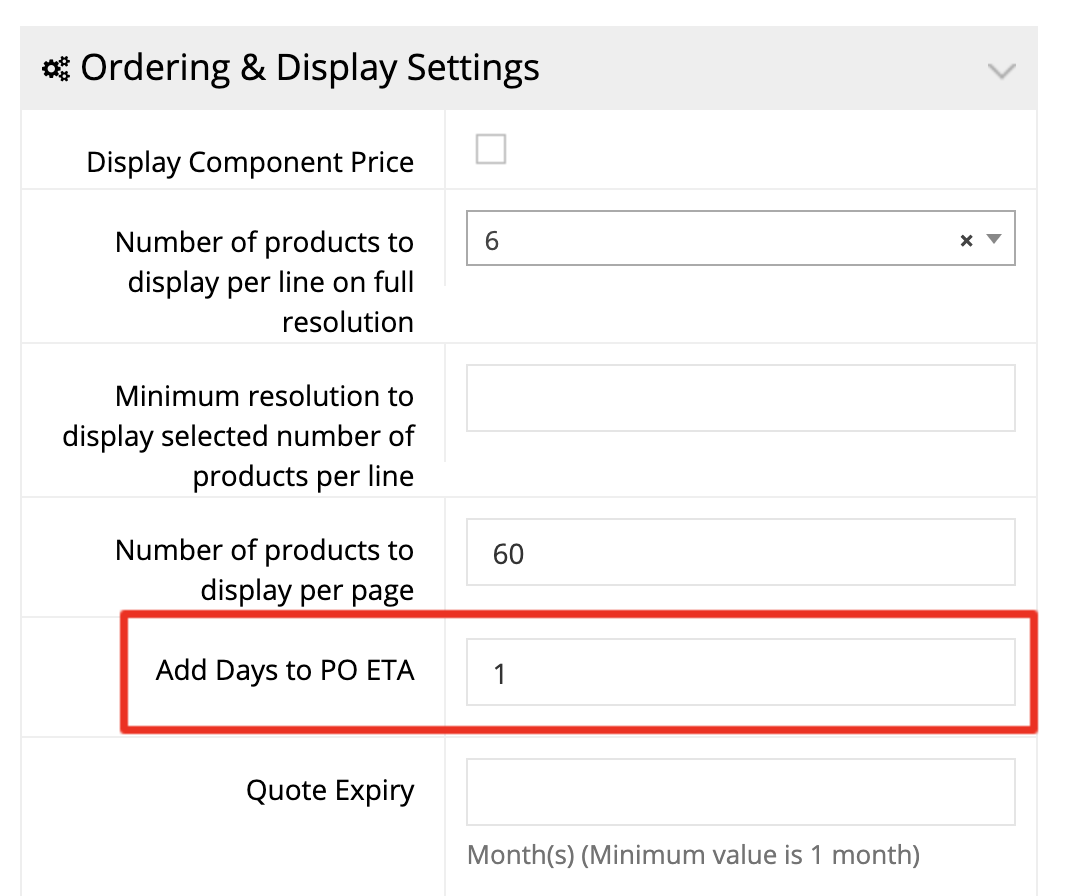
Finally, add the number of days, and click Apply.

webstore FAQ

About Bradly Hale

View all posts by Bradly Hale →

Related Articles

  • Enabling Promotion Field in Checkout
  • Adding Tax Exemptions in Avalara
  • How to Grey Cloud (Deactivate Proxy) at Cloudflare
  • How to Modify Transaction Email Recipients

Popular Articles

  • How to Delete or Deactivate Promo Codes 3711 0
  • How to Generate Sitemaps and the Google Product Feed 3616 0
  • Enable Cloudflare Rate Limiting 3066 0
  • Enable Firewall Rules and a JavaScript Browser Challenge 2862 16
  • IP Allowlist 2606 0

New Articles

  • Error when adding a new user: Email is already in use 1088 0
  • How to Check commercebuild Payments Version 1372 0
  • How to Enable reCAPTCHA on Custom Forms 1232 0
  • Manually posting an order 1450 0
  • Adding a custom message to the shipping step at checkout 1244 0
© commercebuild 2022. All rights reserved.