
This functionality requires Elasticsearch to be enabled for search results. If you are not sure if this is activated on your web store, please reach out to commercebuild Customer Success.
You can control which data points in your products are searchable via the Boosting setting in the Elasticsearch Search Configuration.
To set this up, go to Catalog > Product Settings > Elasticsearch > Search Configuration.
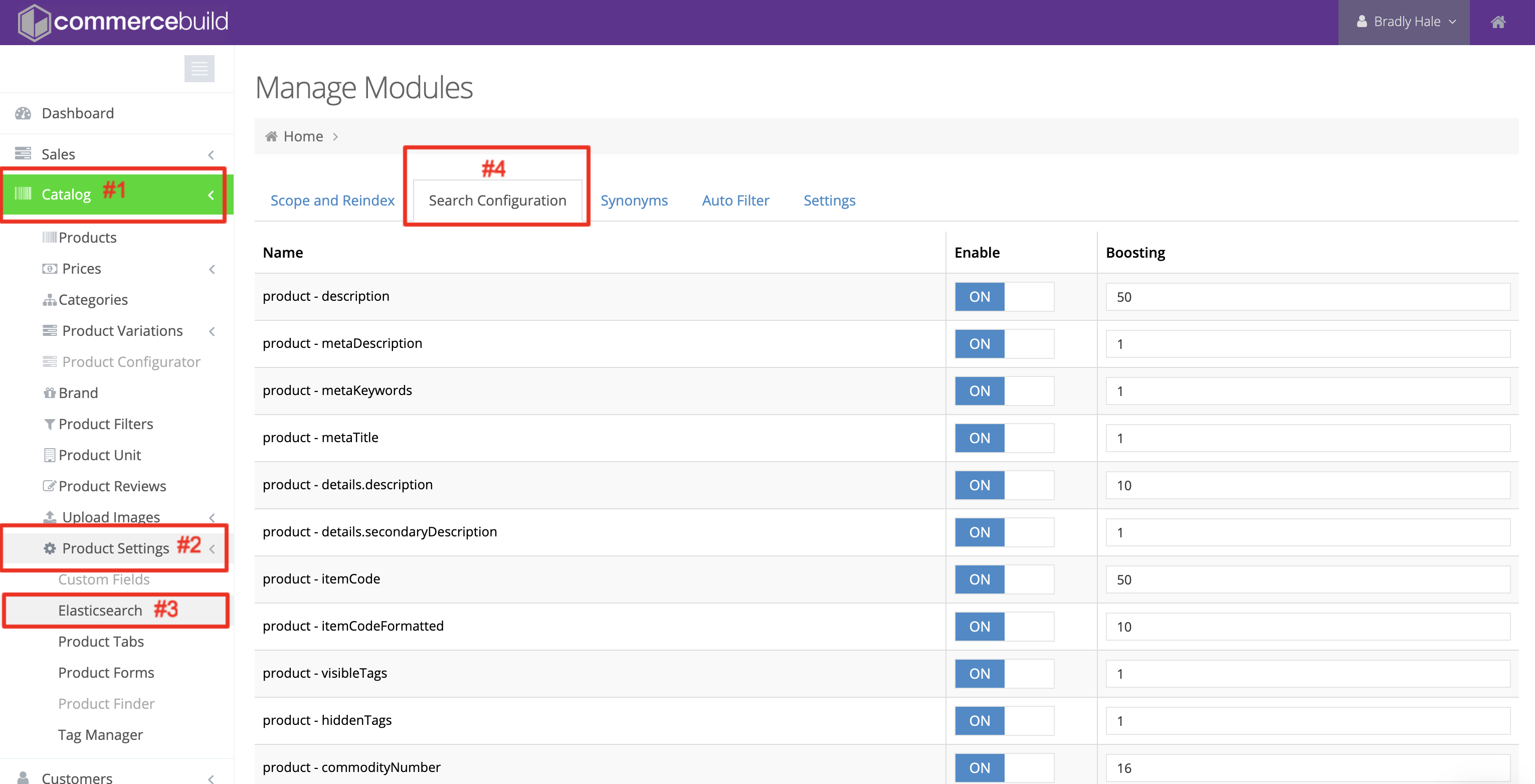
Once there, you can begin configuring the parameters.
Enable Parameters
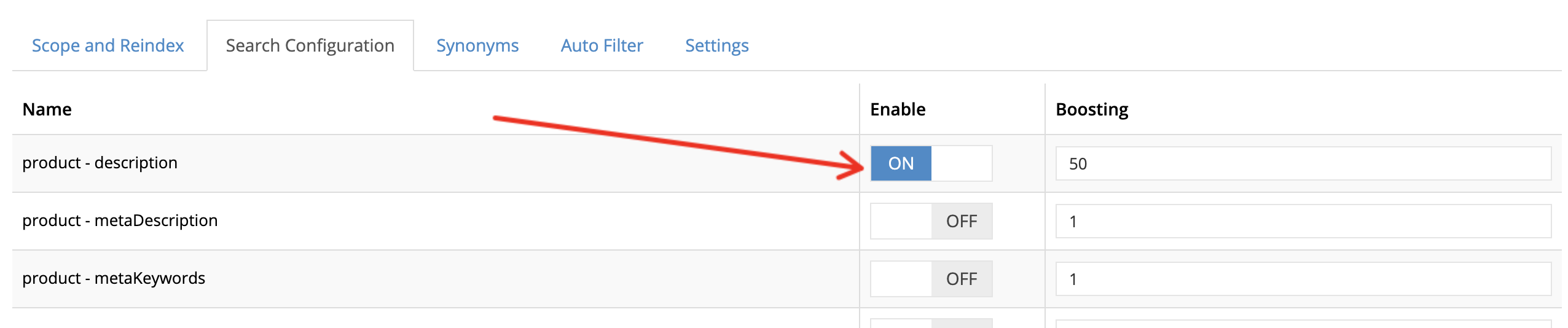
Enable allows you to include the relevant parameter in the search result. For example, if you want product - description (the item description for your web store products) to be searchable in your site search function, you would toggle ON Enable.
Boosting
Additionally, the Boosting parameter allows you to set the priority level for the parameter. In other words, if the product - itemCode should have the highest priority, you could set that to a value that is higher than any other numeric value listed, such as 100.

Reindex Elasticsearch?
It shouldn’t be necessary to reindex Elasticsearch after modifying these parameters. However, you can follow this guidance to reindex your site if you wish to do so anyway.
